

Jasmine Birtles
Your money-making expert. Financial journalist, TV and radio personality.




 Moneymagpie Team
16th Oct 2026
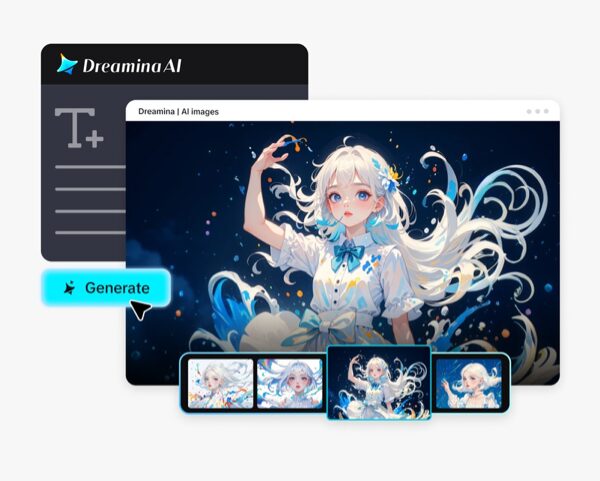
A skit built around characters switching between languages mid-scene has a particular comedic or dramatic charge — the confusion of a mistranslation, the warmth of someone switching to their mother tongue, the chaos of three people talking past each other in three different languages at once.
Before any of that dialogue gets performed, every character needs a consistent visual identity that holds steady no matter which language they’re speaking or what expression the moment calls for.
Dreamina free AI image generator makes building that visual foundation genuinely achievable, letting you design a cast of characters whose expressions and poses stay recognizable across dozens of different skit moments. Dreamina is especially strong here, keeping facial identity locked in place even as the emotional range shifts dramatically from scene to scene.
When a character switches languages, viewers rely entirely on visual and tonal cues to track who’s speaking and how they’re feeling, since subtitles or dubbing can only carry so much of the performance.
A character whose face or expression shifts inconsistently between scenes breaks that thread of recognition exactly when it matters most.
Before opening Dreamina, outline the specific emotional beats your skit needs — confusion, comedic frustration, warm recognition, triumphant understanding. This list becomes your visual shot list, ensuring you design exactly the expressions your script actually calls for.
Go to Dreamina and write a detailed text prompt describing your character’s specific expression and the scene’s mood for each key skit moment. Upload a reference image of your established character to keep their identity consistent across every expression.
Example: A character expression illustration of a person dressed as an animated multilingual translator breaking into warm, relieved laughter after finally understanding a joke, bold expressive linework, vibrant comedic illustration style.
Seedream 5.0 Pro, Dreamina’s newest and most advanced image generation model, is particularly effective for this kind of character-driven work because of how reliably it preserves core facial features across dramatically different expressions and reference uploads, which is genuinely the hardest technical hurdle in any expression-heavy project.
Its precise editing also lets you fine-tune one small detail, like a raised eyebrow or a shifted mouth shape, without regenerating the character from scratch each time a new expression is needed. Its layer-based control treats a character’s features as addressable parts, useful for isolating just the expression while keeping everything else about the character locked in place.
Nano Banana offers quick generation for roughing out a full set of expressions before refining the strongest ones, while GPT Image 2 handles prompts describing specific cultural or linguistic gestures closely, useful when a particular expression needs precise physical detail to land correctly.
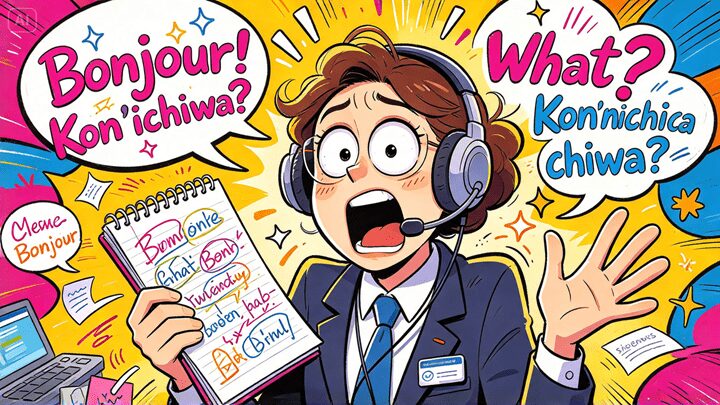
Multilingual character artwork built this way supports a range of creative projects:
Disclaimer: MoneyMagpie is not a licensed financial advisor and therefore information found here including opinions, commentary, suggestions or strategies are for informational, entertainment or educational purposes only. This should not be considered as financial advice. Anyone thinking of investing should conduct their own due diligence.
Your money-making expert. Financial journalist, TV and radio personality.